Hackett Thrail submitted a new resource:
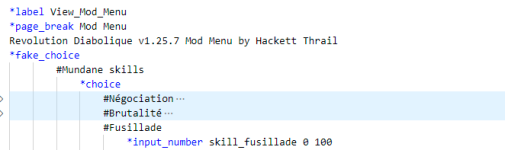
Révolution Diabolique Mod Menu - Tis a Mod Menu for Révolution Diabolique by Hackett Thrail
Read more about this resource...
NOTE: MAKE SURE TO CHECK AND OPEN THE ACHIEVEMENT OPTION. IF YOU ARE NOT ABLE TO SEE THE OPTION, TAP RESTART TO RESTART THE GAME. OTHERWISE, IT CAN BUG YOUR GAME. MAKE SURE IT'S VISIBLE ALL THE TIME. IF YOU ARE FAR AHEAD IN THE STORY AND THE ACHIEVEMENT IS NOT VISIBLE, SAVE YOUR GAME, RESTART IT, AND WHEN THE ACHIEVEMENT IS VISIBLE, SIMPLY LOAD THE GAME YOU SAVED SO YOU WON'T LOSE ANY PROGRESS.
For Achievements Error: Refresh Page -> Save Game -> Restart -> Open Achievements Tab -> Load Save.
Short Explanation on fix = ChoiceScript is Cursed, Restarting makes it believe it's not.
Play Again Bug Error: Same as above.
For any other errors: Noose.
For Donations: Donate to ChoiceofMods
Révolution Diabolique Mod Menu - Tis a Mod Menu for Révolution Diabolique by Hackett Thrail
Révolution Diabolique (version PC) + menu de mods + emplacement de sauvegarde par Hackett Thrail de ChoiceofMods
Pls r8
Read more about this resource...
NOTE: MAKE SURE TO CHECK AND OPEN THE ACHIEVEMENT OPTION. IF YOU ARE NOT ABLE TO SEE THE OPTION, TAP RESTART TO RESTART THE GAME. OTHERWISE, IT CAN BUG YOUR GAME. MAKE SURE IT'S VISIBLE ALL THE TIME. IF YOU ARE FAR AHEAD IN THE STORY AND THE ACHIEVEMENT IS NOT VISIBLE, SAVE YOUR GAME, RESTART IT, AND WHEN THE ACHIEVEMENT IS VISIBLE, SIMPLY LOAD THE GAME YOU SAVED SO YOU WON'T LOSE ANY PROGRESS.
For Achievements Error: Refresh Page -> Save Game -> Restart -> Open Achievements Tab -> Load Save.
Short Explanation on fix = ChoiceScript is Cursed, Restarting makes it believe it's not.
Play Again Bug Error: Same as above.
For any other errors: Noose.
For Donations: Donate to ChoiceofMods
Last edited: